Your workout notepad,
supercharged
Log your lifts the way you already do. LiftPad makes it quicker and keeps track of your progress for you.
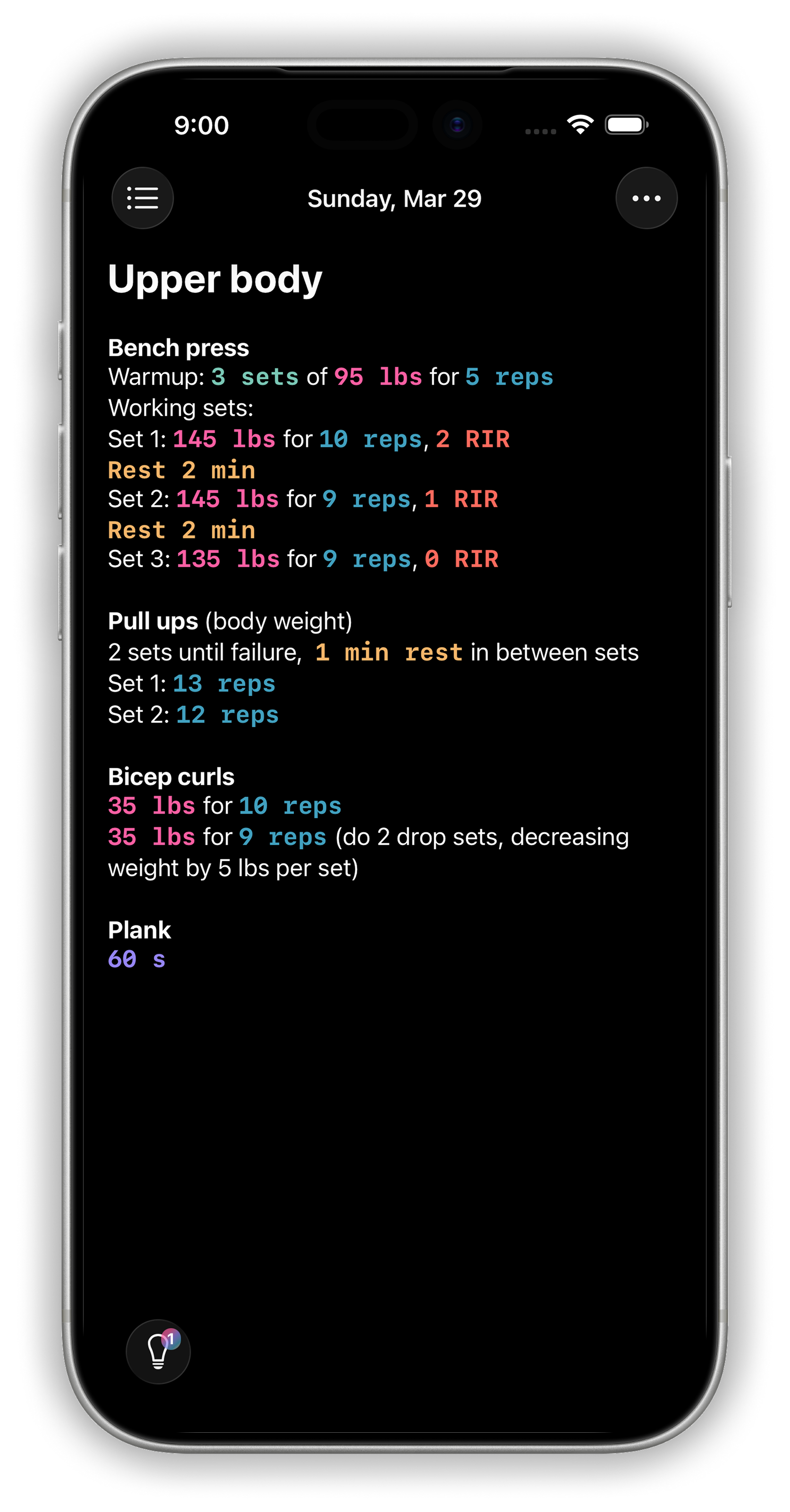
Log your lifts the way you already do. LiftPad makes it quicker and keeps track of your progress for you.
If you already log workouts in Notes, LiftPad will feel familiar. You just start typing. The difference is that LiftPad knows what a set is.
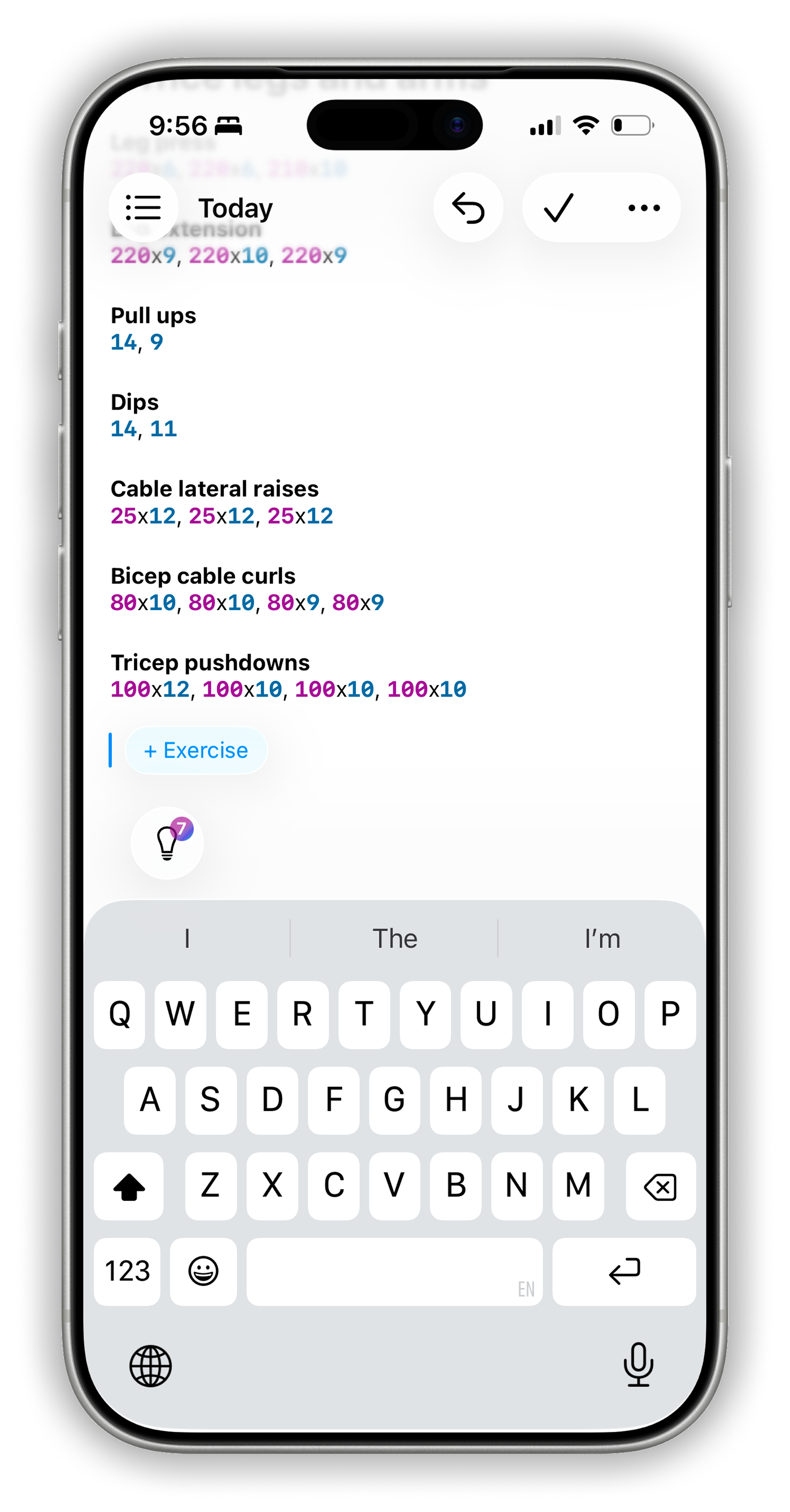
Write it down like you would in Apple Notes.
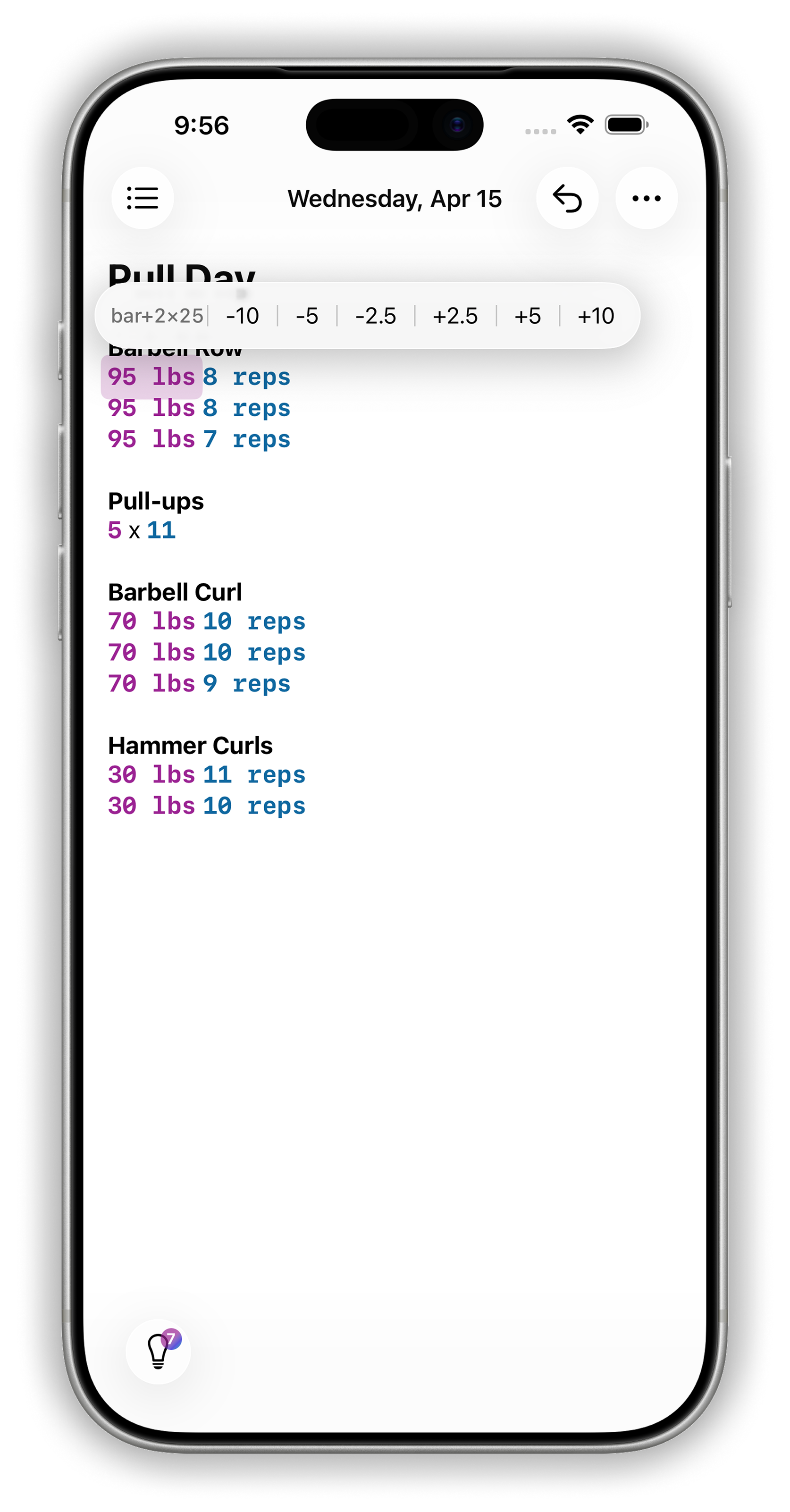
Tap a number and swipe to change it. Going from 60kg to 65kg takes one swipe instead of selecting and retyping.
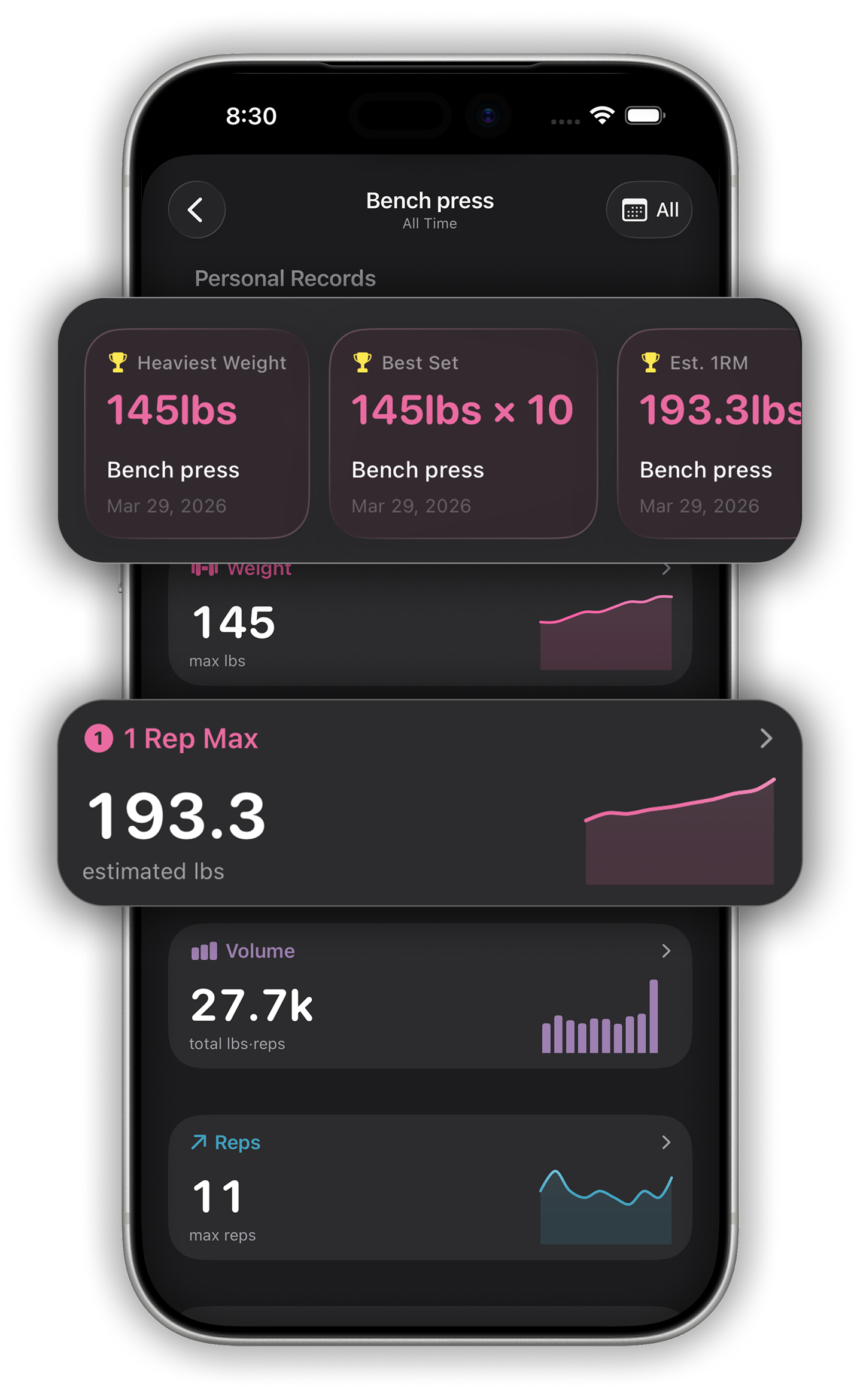
LiftPad picks up every weight, rep, and set as you type. Your notes are your training log, so there's nothing extra to fill in.
Write your workouts the way you always have. LiftPad reads the weights, reps, sets, and rest times as you type and saves them for you. You never have to fill in a form or pick from a dropdown.
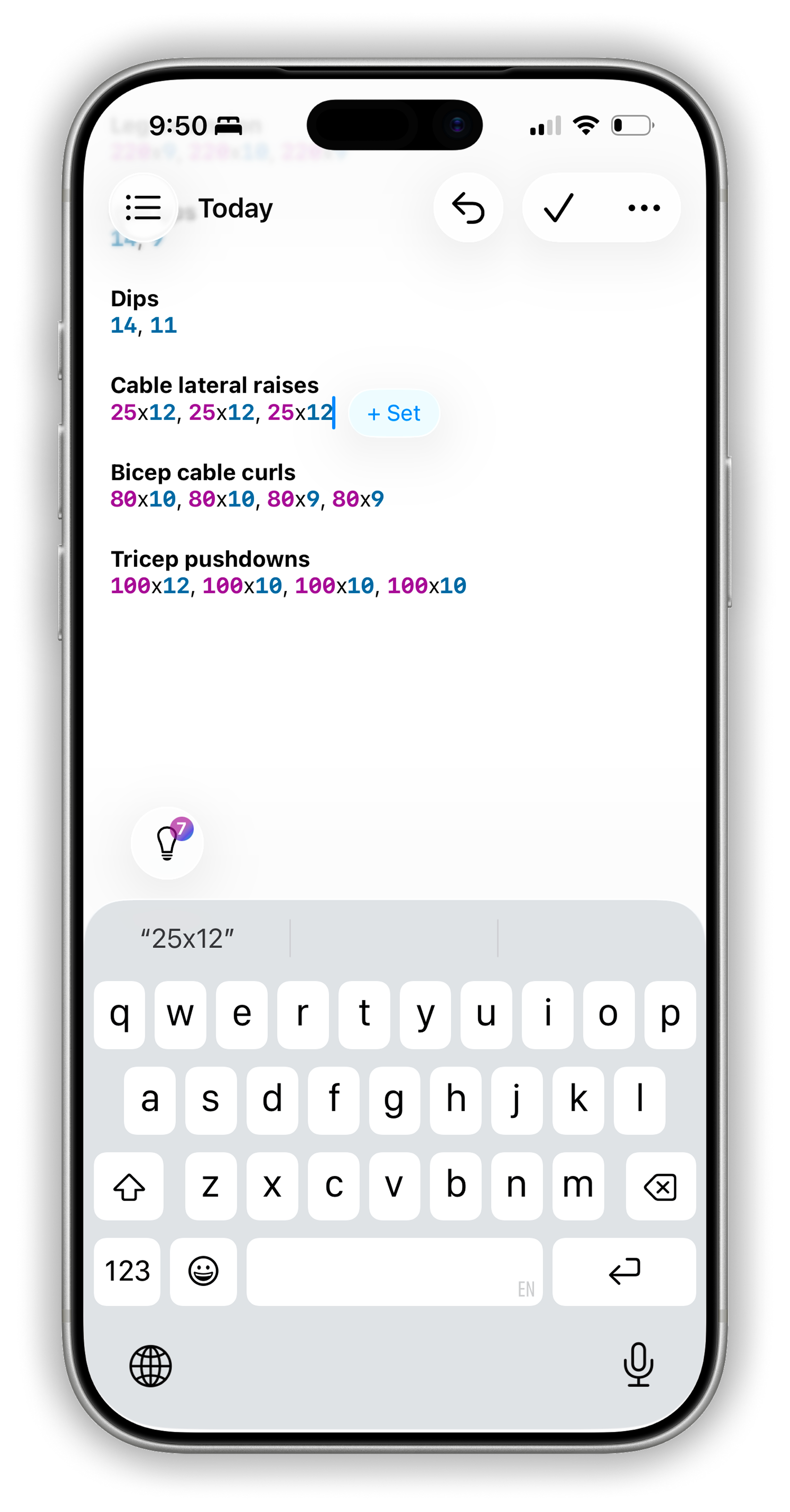
Change weights and reps, add sets and exercises, and start rest timers without leaving your workout log.
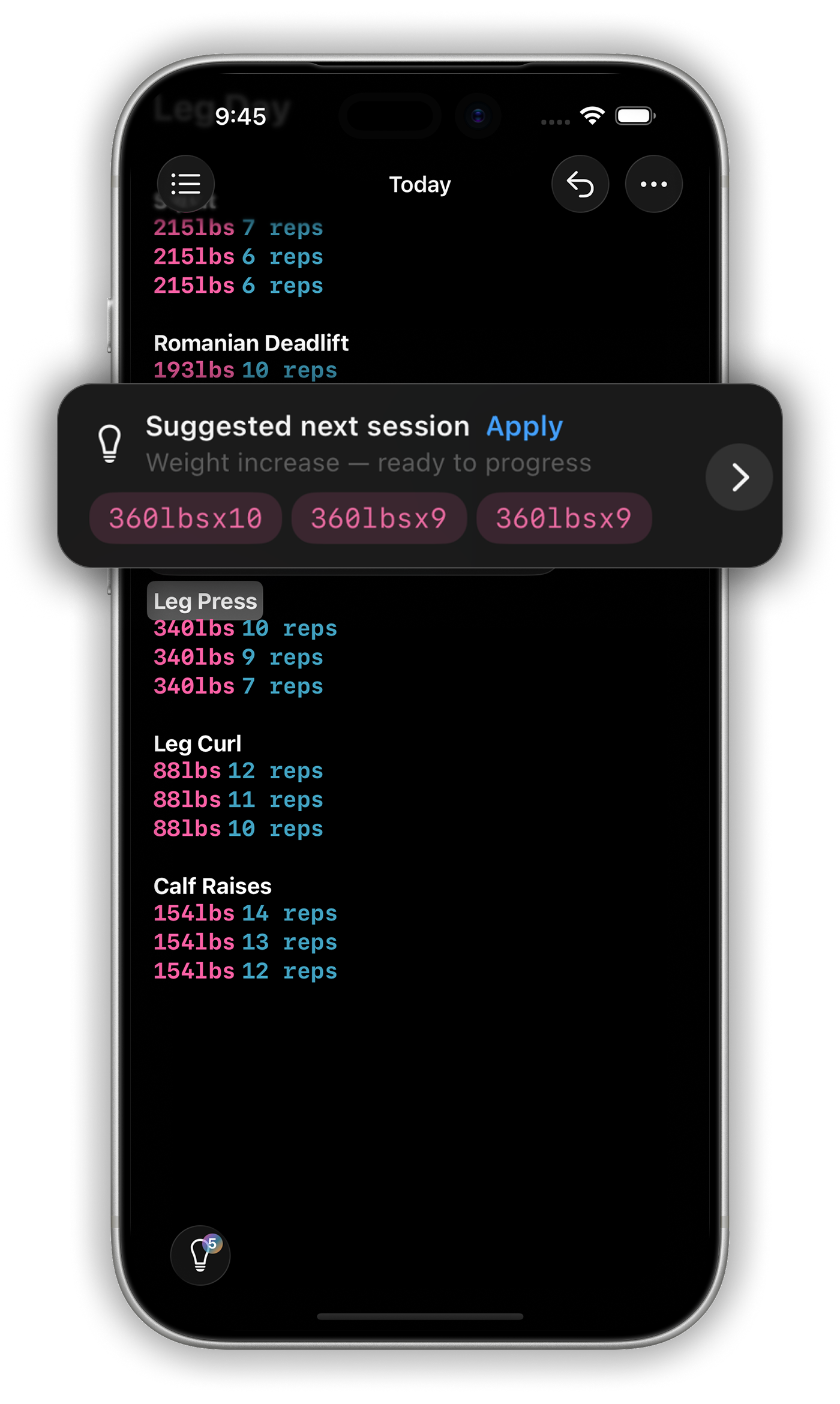
LiftPad remembers what you lifted last time and suggests your next set, so you know when it's time to add weight.
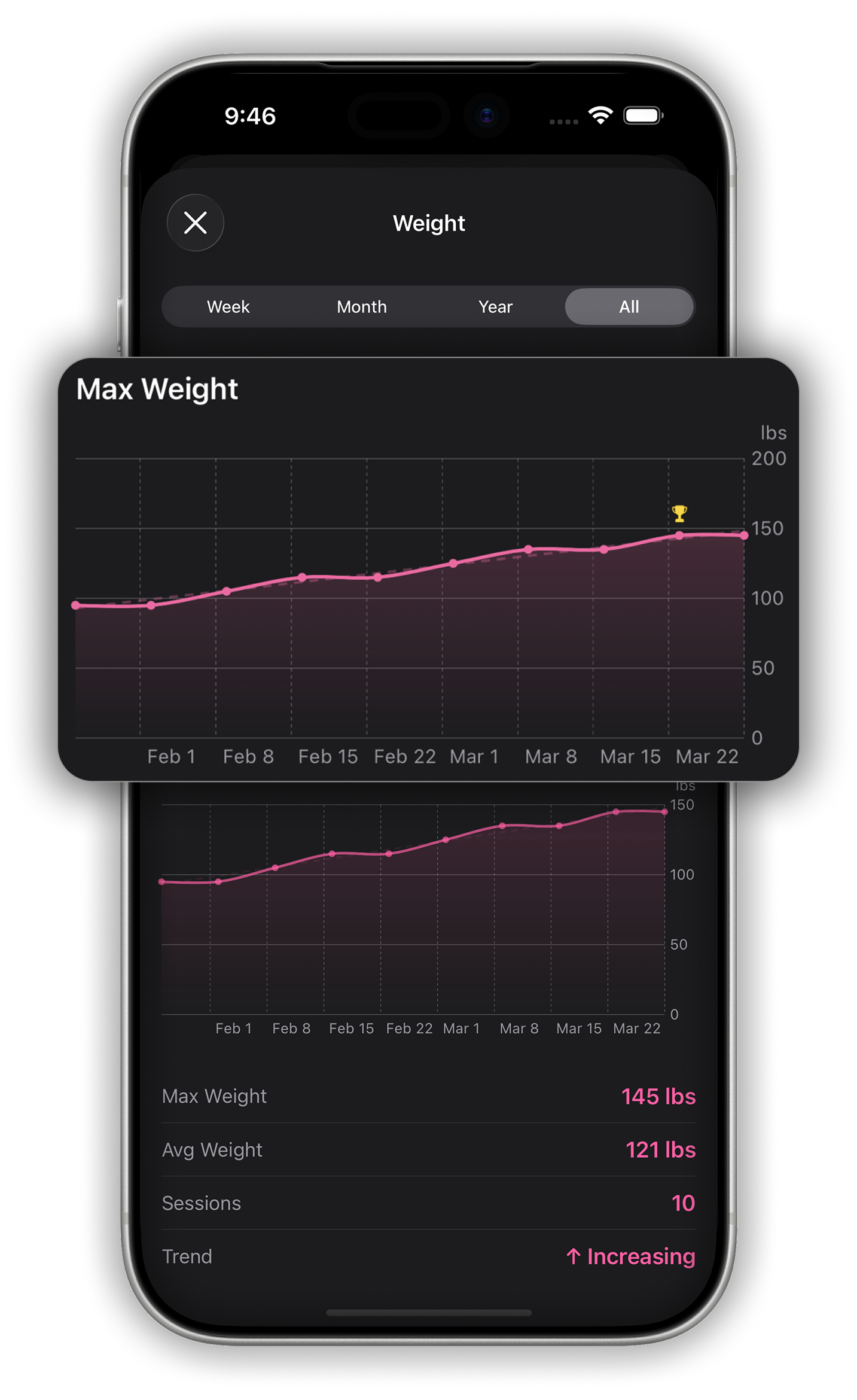
Each workout you log adds to your history. You can see how your strength, PRs, and volume change over time, all from notes you were going to write anyway.
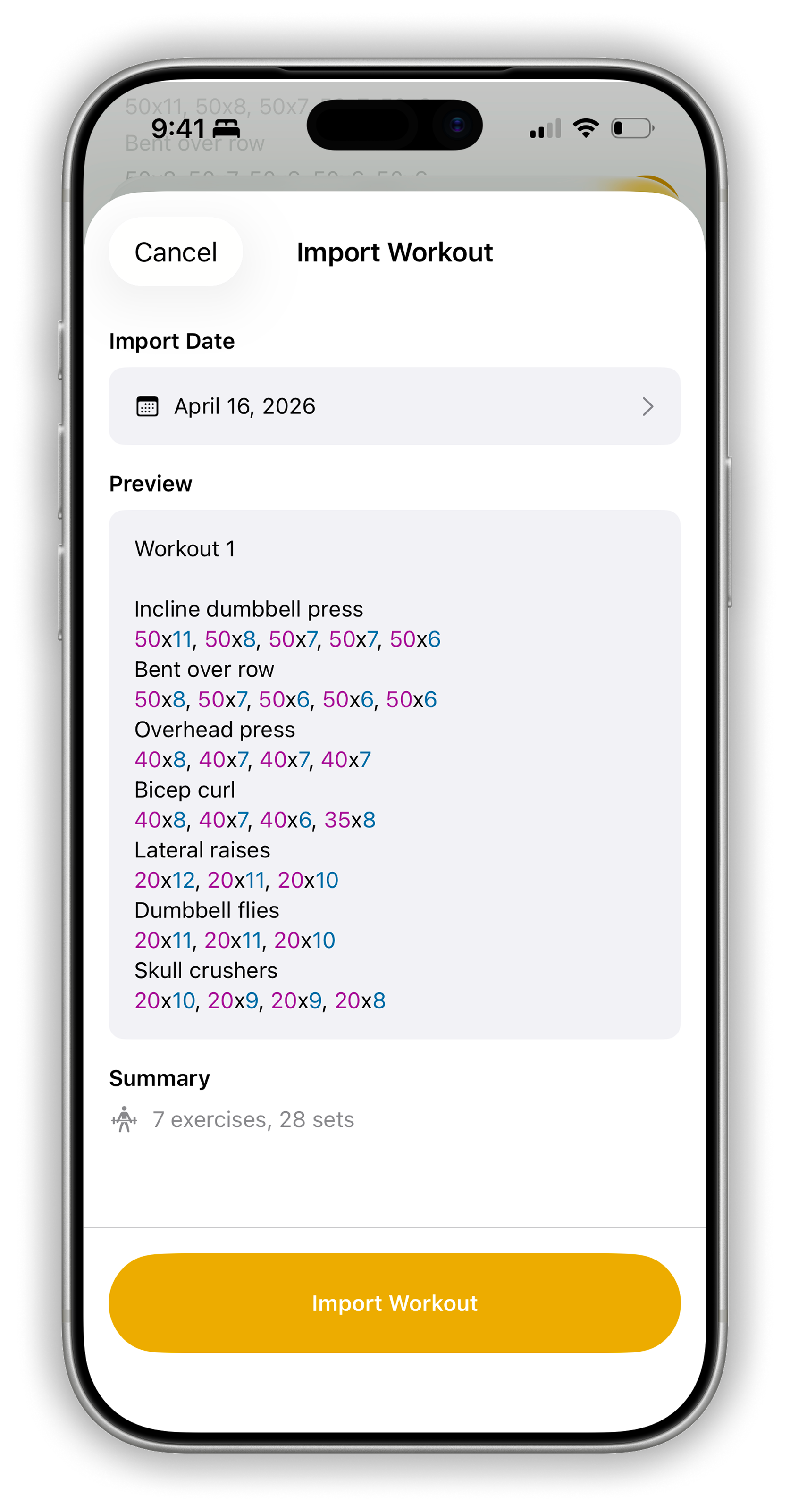
Been logging in Notes for a while? Bring your old workouts over and LiftPad will track them like everything else.
Free to download. No account required. Just open it and start writing.